Construction & Subcontractor Invoice Template (Word, Excel & PDF)
General contractors, commercial builders, and specialty subcontractors rarely bill an entire construction contract in one lump sum. Instead, commercial projects and residential remodels rely on structured progress draws (milestone billing), AIA-style schedule of values, CSI division cost codes, and 5%–10% contractual retainage holdbacks. Generic freelance invoices miss permit numbers, retainage deductions, and conditional lien waivers—causing property owners and GC accounts-payable departments to reject payment applications. Download this free Construction Invoice Template in Microsoft Word (.docx), formula-driven Excel (.xlsx), or print-ready PDF.
Don't want to type into desktop tables? Speak your invoice details on your phone:
What Makes This Layout Unique
- Dedicated project header for Job Site Address, Building Permit #, GC License #, Subcontract # & Draw Number
- CSI MasterFormat division cost codes (e.g., DIV-06 Framing, DIV-09 Drywall, DIV-01 Equipment)
- Automated Excel (.xlsx) formulas for line subtotals, progress draw totals, and 10% contractual retainage deduction
- Conditional Waiver and Release on Progress Payment notice block for faster GC and lender draw approval
- Supports lump-sum progress milestones, cost-plus labor & materials, and subcontractor billing
Pre-Formatted Fields Included
| Item Description | Qty | Unit | Rate | Total |
|---|---|---|---|---|
| Construction & Subcontractor Invoice Template (Word, Excel & PDF) - Professional Service Work | 1 | flat | $450.00 | $450.00 |
When to Use a Construction & Subcontractor Invoice Template
Commercial general contractors, lenders, and property developers will routinely hold payment for 30+ days if a subcontractor submits a generic invoice lacking a contract reference, cost code, or retainage calculation.
This template bridges the gap between simple contractor receipts and heavyweight AIA G702/G703 payment applications—giving small-to-midsize builders and subcontractors a clean, audit-ready single-page progress bill in Word, Excel, and PDF.
Construction Invoicing Comparison: Excel vs. Word vs. TalkInvoice AI App
| Feature / Capability | Excel Template (.xlsx) | Word Template (.docx) | TalkInvoice AI App |
|---|---|---|---|
| Retainage & Sq Ft Formulas | Auto-calculates formulas | Manual calculation | Instant AI calculation via voice |
| CSI Cost Codes & Permit # | Formatted spreadsheet columns | Editable Word table | Auto-parsed from spoken notes |
| Progress Draw Tracking | Editable draw summary | Manual text update | Dictate new draws in seconds |
| Job-Site Mobile Billing | Hard to edit on phone | Clunky on phone | 10-second dictation on-site |
| Payment Link / QR Code | Manual copy-paste | Manual static link | Built-in Stripe / PayPal QR links |
| Cost | Free Download | Free Download | Free preview; in-app subscription for voice & PDF export |
How to Complete the Construction Invoice Template
Download Word (.docx), Excel (.xlsx), or PDF Format
Choose Excel (.xlsx) if you want automatic formulas for square-footage math and 10% retainage holdbacks, or Word (.docx) for custom contract wording.
Enter Project Site, Permit # & Draw Number
Log the exact building permit number, subcontract ID, scheduled contract value, and current draw stage (e.g., Draw #2 — 40% Rough-In) so the GC or lender can approve it without follow-up calls.
Itemize Materials, Labor & Equipment by Cost Code
Separate structural materials, trade labor, and site equipment by CSI cost code to support capital-improvement sales tax documentation and change-order audits.
Apply Contractual Retainage & Attach Conditional Lien Waiver
Deduct any agreed 5%–10% retainage holdback to show the Net Progress Draw Due and note your conditional lien waiver upon cleared payment.
Common Construction Invoice Template Mistakes & How to Fix Them
How to fix it: If your subcontract holds back 10% retainage, show it explicitly as a negative adjustment line so the GC's AP team approves your draw without rejecting the invoice.
How to fix it: Always list approved Change Order numbers (CO-#) on separate line items so base contract progress and extras stay transparent.
How to fix it: Use a Conditional Waiver on Progress Payment when submitting your invoice, and only issue an unconditional waiver after payment clears your bank.
Construction Invoice Template — Frequently Asked Questions
How does retainage work on a construction invoice?
Is this construction invoice template compatible with AIA progress billing?
Can subcontractors use this template for both labor-only and labor-plus-materials jobs?
Best Practices for Trade & Field Service Billing
What Is a Performance Invoice? Milestone Format, Examples & Proforma Difference
Thousands of contractors and business owners search for a 'performance invoice' or 'performance invoice format' every month—and the term points to two distinct commercial scenarios: (1) a contractual 'Performance / Milestone Invoice' tied to verified project completion stages, or (2) a common voice-to-text mix-up for a 'Proforma Invoice'. Here is how to structure a milestone performance bill, plus a direct link if you actually need a proforma template.
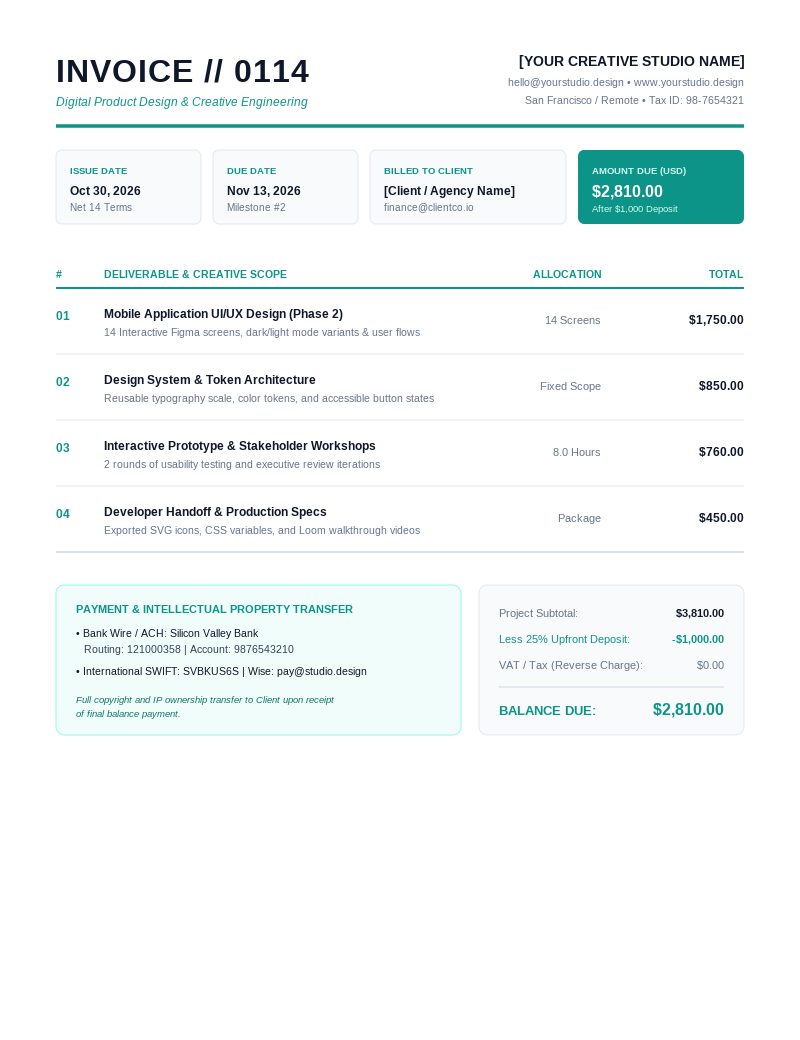
Deposit Invoices & Progress Billing Guide: How Contractors and Freelancers Bill Milestones
Avoid funding a client's materials or multi-week project out of your own pocket. Whether you are remodeling a kitchen, installing commercial HVAC equipment, or building a custom web application, collecting an upfront deposit invoice and billing in structured progress milestones protects your working capital.
Sales Tax on Services: Contractor Rules & State Matrix
Field Contractor Invoicing Guide: How Plumbers, Electricians & HVAC Pros Bill from the Truck
For plumbers, electricians, HVAC technicians, general contractors, and mobile mechanics, typing paperwork after 7 PM is the most exhausting part of running a trade business. Here is a practical field blueprint—with real line-item examples—to quote, bill, and collect payment before leaving the job site.
Other Free Invoice Templates
All 26 templates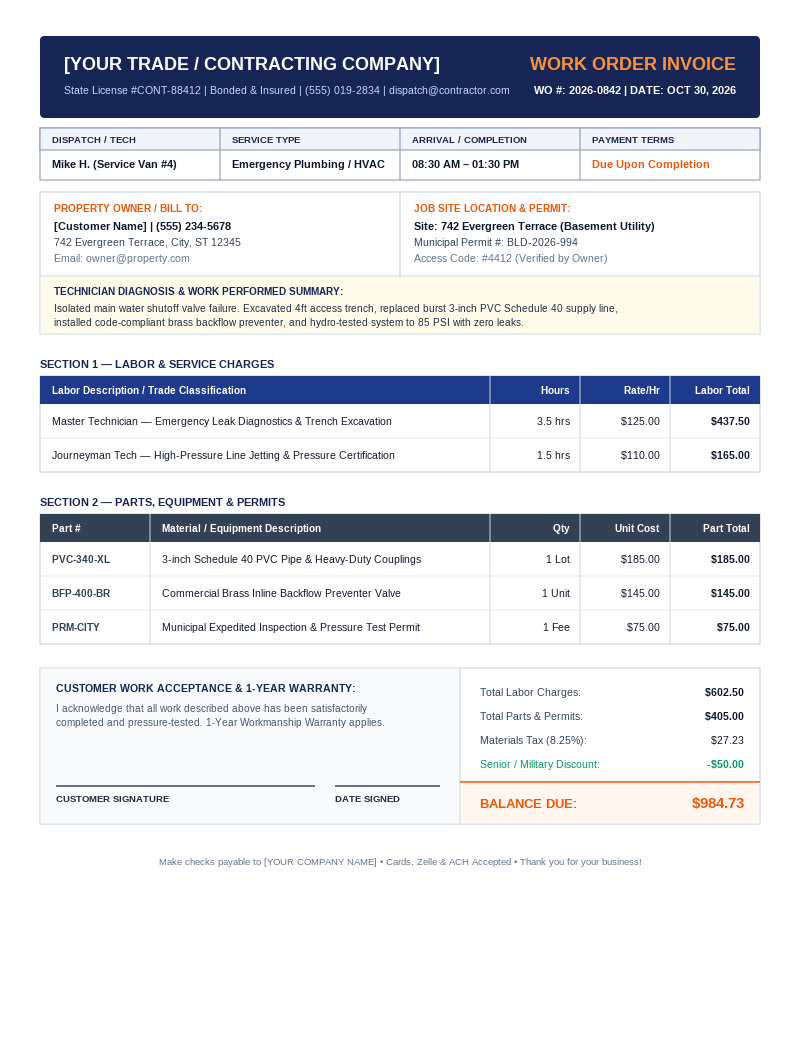
Create Your Construction Invoice Template by Voice on Mobile.
Speak into your phone right after finishing a job. TalkInvoice AI extracts line items and generates a PDF with optional Stripe or PayPal payment QR codes.
Available now for iPhone, iPad, and Android phones. Instant cloud sync & PDF export.